When I first started experimenting with AI for content creation, I thought the difficult part would be getting AI to write.
It wasn’t.
Getting an AI tool to produce 1,500 words is easy.
Getting those 1,500 words to be useful, accurate, original, and worth publishing is a completely different challenge.
That’s why I don’t think the best way to approach AI content creation is:
“Give AI a topic and tell it to write an article.”
A better approach is to build a workflow around it.
Use AI where it saves time.
Keep human judgment where it matters.
Check the information.
Edit the output.
Then publish something that actually helps the reader.
In this guide, I’ll walk through the practical workflow I use when approaching AI content creation for beginners, from the first idea all the way to a published article.
What Is AI Content Creation?
AI content creation is the use of artificial intelligence tools to assist with creating written, visual, audio, or video content.
For written content, AI can help with tasks such as:
- Brainstorming topics
- Research assistance
- Creating outlines
- Drafting
- Rewriting
- Summarizing
- Generating examples
- Editing
- Creating headlines
- Developing FAQs
- Improving readability
But there’s an important distinction.
AI-assisted content is not necessarily the same thing as fully AI-generated content.
I prefer to think of AI as part of the production workflow rather than the entire workflow.
That means the human still decides:
- What to write
- Who it’s for
- What information matters
- What sources are trustworthy
- What should be included
- What should be removed
- Whether the final article is actually good
That’s especially important for beginners.
The easiest mistake is assuming that because AI can write an article, it can also decide whether that article deserves to exist.
It can’t.
The Workflow at a Glance
Here’s the basic workflow:
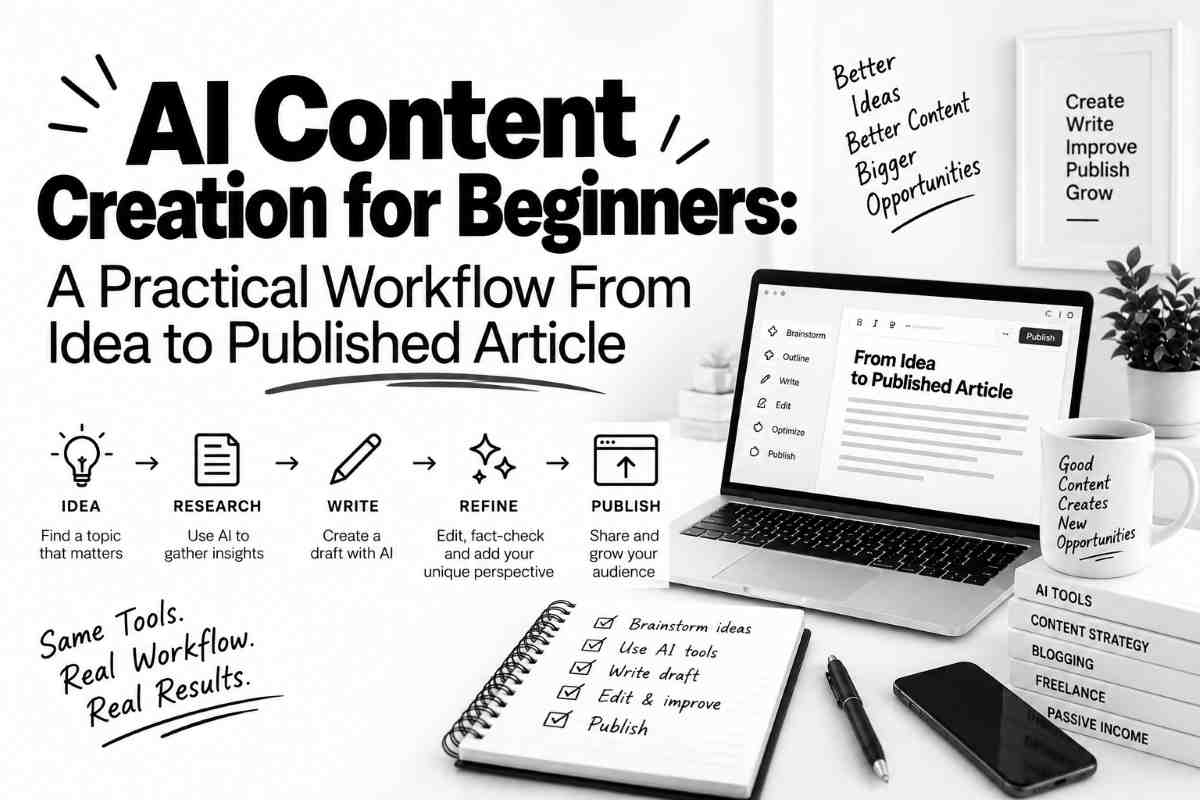
Idea → Search intent → Research → Outline → First draft → Human editing → Fact-checking → SEO → Formatting → Final review → Publish
AI can help at almost every stage.
But it shouldn’t necessarily control every stage.
The workflow is important because each step solves a different problem.
Let’s go through them one by one.
Step 1: Start With an Actual Topic
The first step isn’t opening ChatGPT.
It’s deciding what you’re trying to write about.
This sounds obvious, but it’s surprisingly easy to skip.
If you simply ask AI:
“Give me 50 blog post ideas.”
you’ll probably get 50 ideas.
The problem is that most of them won’t necessarily be useful.
Instead, start with a specific audience and problem.
For example:
Audience: Freelancers
Problem: They spend too much time writing repetitive client proposals.
That immediately gives you more useful possibilities.
You could create an article about:
- Using AI to write freelance proposals
- Creating proposal templates with AI
- Automating repetitive proposal tasks
- Common mistakes when using AI for proposals
The topic comes from the problem.
AI can then help expand it.
That’s a much better starting point.
Step 2: Understand Search Intent
Once you have a topic, think about what the reader actually wants.
Suppose your topic is:
“AI content creation for beginners.”
Someone searching that phrase could be looking for several things.
They might want:
- An explanation of AI content creation
- Recommended tools
- A beginner workflow
- Examples
- A step-by-step tutorial
- Advice about using AI responsibly
Your article needs to satisfy the reason someone searched for it.
This is often called search intent.
Before writing, ask:
“What question is the reader hoping this article will answer?”
That question can be more useful than the keyword itself.
Step 3: Do Your Research
This is where I think beginners should be particularly careful.
AI can help with research, but it shouldn’t automatically be treated as the source of truth.
For topics involving current information, I prefer to verify important facts using reliable sources.
Depending on the topic, that might include:
- Official documentation
- Government websites
- Research papers
- Company documentation
- Original studies
- Reputable publications
- First-hand sources
AI can help identify what you should research.
For example, you could ask:
“What claims in this article would need to be verified before publication?”
That’s a surprisingly useful prompt.
It changes AI’s role from “write everything” to “help me check my work.”
Step 4: Build the Outline
Once you’ve researched the topic, create an outline.
This is one of the areas where AI can save a lot of time.
Give it:
- The topic
- Target audience
- Main question
- Important points from your research
Then ask it to suggest a logical structure.
For example:
Introduction
Explain the problem.
What Is AI Content Creation?
Define the concept.
Why Beginners Should Use a Workflow
Explain why simply generating articles isn’t enough.
Step-by-Step Process
Walk through the workflow.
Common Mistakes
Explain what beginners should avoid.
FAQs
Answer related questions.
Conclusion
Summarize the key lessons.
You don’t have to use the AI-generated outline exactly.
I usually treat it as a starting point.
Move sections around.
Delete unnecessary parts.
Add missing information.
The goal isn’t to make AI happy.
The goal is to make the article easier to follow.
Step 5: Create the First Draft
Now AI becomes particularly useful.
Once the outline exists, you can use AI to help turn individual sections into rough drafts.
I recommend doing this section by section instead of asking for a massive article in one prompt.
Why?
Because smaller sections are easier to review.
If the AI writes 2,500 words in one go, you have a large block of text to inspect.
If it creates one section at a time, you can immediately ask:
- Is this accurate?
- Is this too generic?
- Is anything missing?
- Does this actually answer the question?
- Does it repeat another section?
The smaller workflow gives you more control.
Step 6: Add Your Own Perspective
This is one of the biggest differences between generic AI content and useful content.
AI can explain what is generally known.
But your own experience can add something that a generic answer can’t.
For example:
Instead of:
“AI can save content creators time.”
You could explain:
“The biggest time saving for me wasn’t writing the article. It was getting from a blank page to a usable outline.”
That’s more specific.
It’s also more interesting.
Your perspective can come from:
- Personal experiments
- Screenshots
- Mistakes
- Results
- Observations
- Comparisons
- Things that surprised you
- Processes you’ve actually tried
You don’t need to pretend to be an expert.
You just need to be honest about what you actually experienced.
Step 7: Edit Like a Human
This is where a lot of AI-assisted articles fall apart.
The first AI draft often sounds polished.
But polished isn’t the same as natural.
Look for:
Repetition
Does the article explain the same idea three times?
Generic Statements
Does it say something obvious without adding useful information?
Excessive Lists
Does every section become a bullet list?
Empty Introductions
Does the introduction take 300 words to say something that could be explained in 50?
Unnecessary Adjectives
Words like “revolutionary,” “game-changing,” and “powerful” often don’t add much.
Predictable Conclusions
If the conclusion simply repeats every heading, shorten it.
Good editing often means deleting.
That’s one of the easiest ways to make an article better.
Step 8: Fact-Check the Article
This step is not optional for information that matters.
AI can produce incorrect information with complete confidence.
That means you should check claims about:
- Statistics
- Prices
- Product features
- Software capabilities
- Laws
- Policies
- Technical specifications
- Dates
- Research findings
- URLs
One useful workflow is to create a simple fact-check list.
| Claim | Source Checked? | Correct? |
|---|---|---|
| AI tool feature | Yes/No | Yes/No |
| Pricing | Yes/No | Yes/No |
| Statistic | Yes/No | Yes/No |
| Technical claim | Yes/No | Yes/No |
This might feel like extra work.
It is.
But publishing incorrect information creates a much bigger problem than spending a few extra minutes checking it.
Step 9: Optimize for SEO
SEO shouldn’t be an excuse to make an article awkward.
Start with one main search phrase.
For this article, for example:
AI content creation for beginners
Then use it naturally in places such as:
- SEO title
- Introduction
- One relevant heading
- Body text
- Meta description
- URL
You don’t need to repeat it in every paragraph.
Search engines are increasingly good at understanding topics and related concepts.
A useful article with natural language is usually preferable to an article stuffed with the same keyword over and over.
Step 10: Write a Useful SEO Title
The title has two jobs.
It needs to communicate what the article is about.
And it needs to give someone a reason to click.
For this article, a title such as:
AI Content Creation for Beginners: A Practical Workflow From Idea to Published Article
works because the reader immediately knows what they’re getting.
It promises a process rather than vague advice.
Step 11: Write the Meta Description
The meta description doesn’t need to be complicated.
Explain what the reader will learn.
For example:
Learn a practical AI content creation workflow for beginners, from finding an idea and research to writing, editing, SEO, fact-checking, and publishing.
It’s specific.
It describes the article.
And it doesn’t promise something the article doesn’t deliver.
Step 12: Add Internal Links
Internal linking is another part of the publishing workflow that’s easy to overlook.
If you’re writing about AI content creation, look for related articles already published on your site.
For AIProfitJournal, relevant links could include articles about:
- AI tools
- AI automation
- Making money with AI
- Digital products
- AI experiments
The key is to use natural anchor text.
For example:
“I also tested using AI to build a digital product…”
That’s better than:
“Click here to read our article.”
The first tells both the reader and the search engine what the linked page is about.
Step 13: Add FAQs
FAQs can make an article more useful because readers often have related questions that don’t fit neatly into the main workflow.
For an AI content creation article, useful questions might include:
- Can beginners use AI to create content?
- Is AI-generated content good for SEO?
- Should I edit AI-generated articles?
- Can AI replace a content writer?
- Which AI tools should beginners use?
- How do I fact-check AI content?
Answer the actual questions.
Don’t use FAQs just to stuff more keywords into the page.
Step 14: Format the Article for Humans
Before publishing, look at the article without thinking about SEO.
Would you want to read it?
Break up large paragraphs.
Use descriptive headings.
Highlight important ideas.
Use tables when they genuinely make information easier to understand.
Keep the introduction focused.
Make the conclusion short.
And don’t be afraid of white space.
A wall of text makes even good information feel difficult.
Step 15: Do a Final “Would I Publish This?” Check
Before hitting Publish, I like to ask a few simple questions.
Does the article actually answer the title?
If the title promises a workflow, does the article provide one?
Is there anything obviously generic?
If another website could publish the same paragraph without changing anything, consider improving it.
Did I verify important facts?
Don’t assume AI got them right.
Did I add something original?
An observation, example, experiment, process, comparison, or useful perspective can make a major difference.
Are the internal links relevant?
Don’t add links just because you need links.
Is the article easy to scan?
Check the headings, paragraphs, lists, and formatting.
Would I send this article to a friend?
That’s probably one of the simplest quality tests.
If the answer is no, keep editing.
A Simple AI Content Creation Workflow
If all of this sounds like a lot, here’s the short version.
1. Choose a real topic
Start with a reader problem.
2. Identify search intent
Figure out what the reader actually wants.
3. Research
Use reliable sources and verify important claims.
4. Outline
Create a logical structure.
5. Draft
Use AI to speed up the first version.
6. Add human perspective
Include real examples, observations, and experience.
7. Edit
Remove repetition and generic material.
8. Fact-check
Verify important claims.
9. Optimize for SEO
Use a relevant keyphrase naturally.
10. Add internal links and FAQs
Connect the article to useful related content.
11. Format
Make it easy to read.
12. Publish
Then monitor how readers respond and improve the article when necessary.
That’s the workflow.
It’s not completely automated.
And I think that’s a good thing.
Common AI Content Creation Mistakes Beginners Make
1. Asking AI to Write the Entire Article
This is probably the most obvious shortcut.
It also tends to produce the most generic results.
Use AI throughout the process instead of relying on one giant prompt.
2. Publishing the First Draft
The first draft is rarely the best version.
Treat it as raw material.
3. Trusting AI With Every Fact
AI can be wrong.
Verify important information independently.
4. Chasing Keywords Instead of Readers
An article written for a search engine is rarely enjoyable to read.
Start with the reader.
Then optimize.
5. Making Every Article Extremely Long
Longer isn’t automatically better.
If the reader’s question can be answered in 1,200 useful words, there’s no need to force it into 3,000.
6. Using AI Without Adding Anything Original
If your article contains nothing beyond information that thousands of other websites already have, there’s little reason for someone to choose it.
Add your own experience.
Show your process.
Test things.
Explain what surprised you.
That’s where the article becomes yours.
How Much of Content Creation Should AI Handle?
There’s no universal percentage.
It depends on the type of content.
For a simple brainstorming task, AI might handle most of the initial work.
For an article containing personal experience or expert judgment, the human contribution should be much more significant.
A useful way to think about it is:
AI handles the repetitive parts.
Humans handle the important decisions.
For example:
| Task | AI Assistance |
|---|---|
| Brainstorming | High |
| Outlining | High |
| First draft | High |
| Rewriting | High |
| Research assistance | Medium |
| Fact-checking | Low/Medium |
| Personal experience | Human |
| Final judgment | Human |
| Publishing decision | Human |
These aren’t strict percentages.
They’re simply a useful way to think about where AI provides the most leverage.
Can AI Content Rank on Google?
AI assistance by itself doesn’t determine whether content will perform well in search.
What matters more is whether the content is useful, relevant, accurate, trustworthy, and genuinely satisfies the reader’s need.
That means an AI-assisted article can potentially perform well—but simply generating an article with AI doesn’t guarantee search visibility.
This is another reason I prefer a workflow instead of one-click content generation.
The objective isn’t:
“How much content can I generate?”
It’s:
“How much useful content can I create with the time I have?”
Those are very different goals.
The Workflow I Would Recommend to a Beginner
If you’re completely new to AI content creation, don’t try to automate everything on day one.
Start simple.
Pick one topic.
Research it.
Use AI to create an outline.
Write a first draft.
Edit it yourself.
Check the facts.
Publish.
Then do it again.
After you’ve done that several times, you’ll start noticing which parts take the most time.
That’s when automation becomes useful.
If outlining takes too long, improve your outlining workflow.
If research organization is painful, use AI there.
If editing is repetitive, use AI to identify issues.
Don’t automate a process you don’t understand yet.
First learn the process.
Then improve it.
Final Thoughts
AI content creation is easier than it used to be.
But easy content creation doesn’t necessarily mean easy content marketing.
The technology can give you a faster starting point.
It can help you overcome the blank page.
It can organize ideas.
It can handle repetitive tasks.
It can help you produce more in less time.
But the most important part of the workflow still happens before and after the AI generates anything.
Choosing the right topic.
Understanding the reader.
Checking the facts.
Adding something useful.
Editing the output.
Making the final judgment.
That’s why I don’t think beginners should focus on becoming better at generating enormous amounts of AI content.
I’d focus on becoming better at using AI to create useful content efficiently.
That’s a much more sustainable skill.
Frequently Asked Questions
Can beginners use AI to create content?
Yes. AI tools can help beginners brainstorm ideas, create outlines, draft content, rewrite passages, generate examples, and organize information.
However, beginners should still review and edit AI output rather than publishing it automatically.
Is AI-generated content good for SEO?
AI assistance itself doesn’t guarantee SEO performance.
Content still needs to satisfy the reader’s search intent, provide useful information, be accurate, and offer a good experience.
Using AI doesn’t replace the need for good content strategy and editorial judgment.
Should I edit AI-generated content before publishing?
Yes.
AI-generated drafts can contain repetition, generic language, factual errors, or information that doesn’t fit your audience.
Editing gives you an opportunity to improve accuracy, clarity, originality, and usefulness.
Can AI replace content writers?
AI can automate or accelerate certain writing tasks, but content creation involves more than generating words.
Research, strategy, audience understanding, fact-checking, editing, personal experience, and editorial judgment are still important.
AI is often more useful as a writing assistant than as a complete replacement for the entire content workflow.
What AI tools do beginners need for content creation?
A beginner can start with a general-purpose AI assistant for brainstorming, outlining, drafting, and editing.
You don’t necessarily need a large collection of specialized tools.
Start with the simplest workflow possible and add tools when they solve a specific problem.
How do I make AI content more original?
Start with original research, personal experience, examples, experiments, observations, or a unique perspective.
Don’t simply ask AI to rewrite information that already exists elsewhere.
The more your article is based on your own work and judgment, the more distinctive it can become.
How do I fact-check AI-generated content?
Identify claims that could be wrong or outdated and verify them using reliable sources.
For software features, pricing, policies, and technical information, official sources are often a useful starting point.
Don’t assume that a confident AI response is automatically accurate.
Should every article use AI?
No.
AI is a tool, not a requirement.
If you can write a particular piece more effectively without AI, there’s no reason to force AI into the process.
The goal is to improve the workflow, not use AI for its own sake.
Related AIProfitJournal Articles
If you’re exploring practical ways to use AI, these articles may also be useful:
- I Used AI to Build a Digital Product: What I Learned From the Process – A first-hand look at using AI throughout the digital-product creation process.
- 30 Days Using AI to Make Money – What Happened – A broader experiment exploring different ways to use AI for income.
- From $0 to $100 Using AI: A Full Beginner Case Study – A beginner-focused AI income experiment.
A Practical Rule to Remember
If you’re new to AI content creation, remember this:
Don’t use AI to avoid thinking. Use AI to spend less time on the parts that don’t require as much thinking.
Let it help with the blank page.
Let it organize your notes.
Let it suggest alternatives.
Let it handle repetitive work.
But keep the important decisions for yourself.
That’s the workflow that turns AI from a content generator into an actual productivity tool.