Running a small business means doing a ridiculous number of jobs at once.
You might be the owner, salesperson, customer support person, marketer, bookkeeper, and project manager—all before lunch.
And some of those jobs aren’t particularly difficult.
They’re just repetitive.
Copying information from one place to another.
Replying to the same customer questions.
Writing similar emails.
Creating weekly reports.
Following up with leads.
Turning meeting notes into tasks.
This is where AI automation can be useful.
The goal isn’t to automate your entire business and disappear from the office.
It’s much simpler:
Find repetitive tasks that consume time, then let software handle the predictable parts while you keep control of the important decisions.
For a small business, even modest improvements can make a workflow easier to manage.
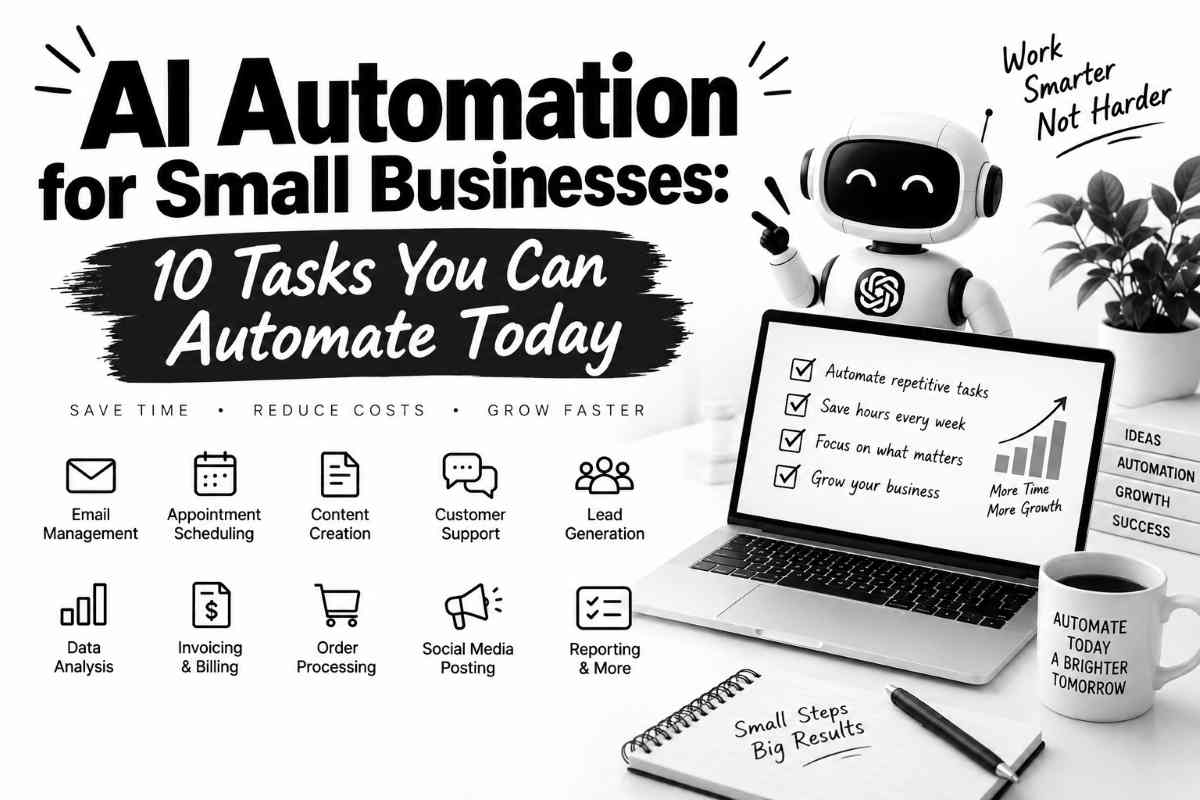
In this guide, we’ll look at 10 practical tasks you can automate with AI today, along with examples of how the workflows can work and what you should—and shouldn’t—automate.
What Is AI Automation?
AI automation combines traditional automation with artificial intelligence.
Traditional automation is good at following predictable rules:
If a customer fills out this form, send this email.
AI becomes useful when the information isn’t perfectly structured.
For example:
If a customer sends a message, understand what they’re asking about and categorize it as a sales question, support request, complaint, or general inquiry.
The automation can then send the information to the appropriate workflow.
A simple AI automation might look like:
Customer message → AI analyzes it → Automation decides what happens next → Human reviews when necessary
That’s very different from simply asking ChatGPT to write something manually every time.
Before You Automate Anything, Ask One Question
Here’s a simple rule:
Don’t automate a process you don’t understand.
If you currently have a messy workflow, automating it can simply make the mess happen faster.
Before building an automation, write down:
- What triggers the process?
- What information is needed?
- What decisions are made?
- What happens next?
- Where can something go wrong?
- When does a human need to intervene?
Once you understand those steps, you can identify which parts are suitable for automation.
1. Customer Support Questions
Customer support is one of the easiest places for a small business to start.
Think about the questions you receive repeatedly:
- What are your opening hours?
- How much does this cost?
- Where do you ship?
- How long does delivery take?
- What’s your return policy?
- Do you offer customization?
- How do I book an appointment?
You shouldn’t need a human to manually answer the exact same question 50 times.
An AI-assisted workflow could look like this:
Customer message → AI identifies the question → Retrieves approved information → Drafts response → Sends automatically or requests human approval
The important part is the source of information.
Don’t let an AI model invent your policies.
Give it an approved knowledge base containing:
- Pricing
- Policies
- Product information
- Business hours
- Shipping information
- Frequently asked questions
For sensitive or unusual requests, route the conversation to a human.
Good automation candidate
“Where are you located?”
Poor automation candidate
“I’m threatening legal action because my order arrived damaged.”
The second one should probably reach a person.
2. Lead Qualification
Not every inquiry deserves the same response.
A small business might receive dozens of leads, but some aren’t a good fit.
AI can help categorize incoming leads based on information you’ve already defined.
For example:
New inquiry → AI extracts information → Lead is categorized → CRM updated → Appropriate follow-up created
You might categorize leads as:
- High priority
- Medium priority
- Low priority
- Not a fit
For a service business, you could have AI extract:
- Company size
- Service requested
- Budget range
- Timeline
- Location
- Main problem
The AI doesn’t have to make the final sales decision.
It can simply organize the information so you don’t have to read every message from scratch.
That’s often where the real time saving happens.
3. Email Sorting and Drafting
Email is another obvious candidate.
Small-business owners often receive a mixture of:
- Sales inquiries
- Customer support
- Invoices
- Vendor messages
- Internal communication
- Newsletters
- Spam
An AI workflow can classify incoming messages and apply different actions.
For example:
New email → AI categorizes message → Applies label → Extracts important information → Drafts response if appropriate
You could create categories such as:
Sales
Send to your sales workflow.
Customer Support
Create or update a support task.
Invoice
Forward to the accounting workflow.
Newsletter
Archive or categorize.
The automation doesn’t have to send replies automatically.
In many cases, simply organizing your inbox intelligently can be valuable.
4. Appointment Scheduling
Scheduling sounds simple until you’re doing it all day.
A customer asks:
“Are you free next Tuesday?”
You check your calendar.
You respond.
They ask about another time.
You check again.
They choose a time.
You confirm.
Then someone forgets.
AI and automation can reduce much of that back-and-forth.
A basic workflow can be:
Customer requests appointment → System checks availability → Offers available times → Customer selects → Calendar updated → Confirmation sent
You can also automate reminders.
For example:
Appointment booked → Reminder sent before appointment → Follow-up message sent afterward
The important thing is that the automation should use your actual calendar availability.
Don’t let an AI model guess whether you’re free.
5. Meeting Notes and Action Items
Meetings create another hidden workload.
The meeting itself might take 30 minutes.
Then someone has to remember what happened.
Who was responsible for what?
What did the client request?
What deadline was mentioned?
What needs to happen next?
AI can turn a meeting transcript or notes into a structured summary.
For example:
Meeting transcript → AI summarizes → Extracts decisions → Extracts action items → Tasks added to project system
A useful output might contain:
Decisions
What was agreed.
Action Items
Who needs to do what.
Deadlines
When tasks are due.
Open Questions
What still needs clarification.
Follow-Up
What should happen next.
This is a good example of AI doing something humans are capable of doing—but don’t necessarily enjoy doing.
6. Social Media Content
Small businesses know they should post consistently.
Actually producing the content is another story.
You can automate parts of the process without turning your social media account into a robot.
For example:
New blog published → AI identifies key ideas → Creates draft social posts → Human reviews → Approved post scheduled
Or:
Product information → AI generates several content angles → Marketing team selects the best → Post created and scheduled
The human approval step matters.
You don’t want an automation publishing something embarrassing simply because an AI model generated it.
A better approach is:
AI creates options. Humans choose.
7. Weekly Business Reports
This is one of the more useful automations for owners who work with multiple systems.
Your business data might live in different places:
- Website analytics
- Sales platform
- Ecommerce system
- CRM
- Advertising platform
- Spreadsheet
Instead of manually collecting the same numbers every week, you can automate the collection and summarization.
A workflow might look like:
Data sources → Automation collects numbers → AI summarizes changes → Weekly report created
The report could answer:
- What changed this week?
- Which metric increased?
- Which metric decreased?
- What deserves attention?
- What actions should we consider?
Be careful with the final question.
AI can suggest interpretations, but important business decisions should still be based on the underlying data.
8. Invoice and Expense Organization
Administrative work is another area where automation can help.
For example, incoming invoices often contain predictable information:
- Vendor
- Invoice number
- Date
- Amount
- Due date
An automation can extract these fields and place them into a spreadsheet or accounting workflow.
The process could look like:
Invoice received → Information extracted → Data entered → Invoice categorized → Human approval
This can reduce manual data entry.
But financial workflows deserve extra caution.
AI should not be given unrestricted authority to make important financial decisions.
For anything involving payments, tax treatment, refunds, or significant financial consequences, keep appropriate human review in the process.
9. Customer Feedback Analysis
Customer feedback can be incredibly useful.
It can also be messy.
You might receive comments through:
- Reviews
- Surveys
- Social media
- Support tickets
- Chat
Reading every comment manually can become difficult as your business grows.
AI can help identify recurring themes.
For example:
Customer feedback → AI categorizes comments → Sentiment/themes identified → Summary created
You might discover recurring themes such as:
- Customers love delivery speed.
- Several people find checkout confusing.
- Customers frequently ask for a particular product.
- Support response times are frustrating.
- A certain feature is popular.
This doesn’t mean AI has discovered objective truth.
It has helped you organize a large amount of qualitative information so you can investigate the important patterns.
10. Internal Task Creation
This might be the least glamorous automation on the list—and one of the most useful.
Small businesses generate tasks constantly.
Someone sends an email.
A customer makes a request.
A meeting ends.
A new order arrives.
A team member reports a problem.
Instead of manually turning each event into a task, AI can identify actionable items.
For example:
Email → AI determines whether action is required → Task created → Assigned to appropriate person → Due date suggested
You could also use this for support requests:
Customer complaint → Ticket created → Category assigned → Priority suggested → Team member notified
Again, AI should assist with prioritization rather than blindly deciding everything.
The 80/20 Approach to AI Automation
You don’t need to automate 100% of a workflow.
In fact, trying to automate everything can create unnecessary complexity.
A better approach is to find the repetitive 20–30% that consumes disproportionate amounts of time.
For example:
Before
Customer inquiry
↓
Employee reads it
↓
Copies information
↓
Checks CRM
↓
Writes response
↓
Updates CRM
↓
Creates follow-up
After
Customer inquiry
↓
AI extracts information
↓
CRM updated automatically
↓
Response drafted
↓
Human approves
↓
Follow-up created automatically
The human is still involved.
But they’re spending their time on the decision rather than copying information between systems.
What Should You NOT Automate?
This is just as important as knowing what you can automate.
Some tasks should remain human-controlled.
High-stakes decisions
Be careful with:
- Legal decisions
- Financial decisions
- Employment decisions
- Medical information
- Sensitive customer disputes
AI can assist with organization or drafting, but don’t hand over important decisions blindly.
Brand-sensitive communication
If your company has a distinctive voice, automatically publishing AI-generated content everywhere can damage it.
Use AI for drafts.
Have someone responsible approve important communication.
Angry customers
Automation can identify complaints.
It shouldn’t necessarily handle them.
A frustrated customer often wants to feel heard by a person.
Complex sales conversations
AI can qualify leads.
A human should generally handle nuanced negotiations and important relationships.
How to Choose Your First Automation
If you’re new to AI automation, don’t start with something complicated.
Score potential tasks using four questions.
1. How often does it happen?
Daily tasks are usually better candidates than something that happens once every six months.
2. How repetitive is it?
The more predictable the process, the easier it is to automate.
3. How expensive are mistakes?
Low-risk tasks are safer starting points.
4. How much manual time does it consume?
A task that takes five minutes once a month probably isn’t worth building a complex automation around.
A task that takes 30 minutes every day might be.
A Simple AI Automation Example
Let’s say you run a small consulting business.
Every time someone submits a contact form, you currently:
- Open the email.
- Read the inquiry.
- Copy the person’s information.
- Add them to your CRM.
- Categorize the lead.
- Write a response.
- Create a follow-up reminder.
You could automate much of this.
Trigger
New contact form submission.
AI step
Analyze the message and extract:
- Name
- Company
- Service requested
- Timeline
- Budget information
- Main problem
Automation step
Add the information to the CRM.
AI step
Draft a personalized response.
Human step
Review the response.
Automation step
Create a follow-up task.
The business owner still controls the relationship.
But the repetitive administration is reduced.
That’s the sweet spot.
Popular Tools for AI Automation
You don’t necessarily need a complicated technology stack.
Depending on your workflow, you might combine an AI assistant with automation platforms and the software you already use.
Common categories include:
- AI assistants
- Workflow automation platforms
- CRM systems
- Email platforms
- Calendar tools
- Project management software
- Spreadsheets
- Accounting software
The specific tools matter less than the workflow.
Don’t start by asking:
“Which AI automation tool should I buy?”
Start by asking:
“Which repetitive process is costing my business the most time?”
Then find the simplest tool combination that solves that problem.
How to Build Your First Automation
Here’s a practical process.
Step 1: Track repetitive work
For one week, make a list of tasks you repeat.
Don’t guess.
Write them down.
Examples:
- Copying customer information
- Answering common questions
- Creating reports
- Sending reminders
- Writing follow-ups
- Organizing meeting notes
Step 2: Pick one low-risk task
Don’t automate the most complicated workflow first.
Choose something simple.
Step 3: Document the current process
Write down every step.
If you can’t explain the process, you’re not ready to automate it.
Step 4: Identify the AI component
Ask:
Where does the workflow require understanding unstructured information?
That’s often where AI is useful.
Step 5: Keep a human checkpoint
Especially during the first version.
Let AI prepare the work.
You approve it.
Once you trust the workflow, you can decide whether some steps can happen automatically.
Step 6: Measure the result
Track something simple:
- Time spent before
- Time spent after
- Number of errors
- Number of manual steps
- Customer response time
Don’t assume an automation is successful just because it looks clever.
It should make the business better.
The Hidden Cost of Bad Automation
Automation isn’t automatically good.
A badly designed workflow can create new problems.
For example, imagine an AI customer-support system that confidently gives incorrect information.
You haven’t saved time.
You’ve created customer complaints.
Or an automation sends the wrong email to 5,000 subscribers.
Now you’ve created a marketing problem.
Or an AI categorizes important invoices incorrectly.
Now someone has to clean up the mess.
That’s why the best automation isn’t:
Maximum automation.
It’s:
Appropriate automation.
AI Automation Is About Leverage, Not Laziness
There’s sometimes a strange attitude around automation.
People assume that if software does a task, the business owner is somehow avoiding work.
That’s not the point.
If technology can handle repetitive administrative work, you can spend more time on things that actually require you.
Such as:
- Talking to customers
- Improving products
- Closing deals
- Building partnerships
- Solving difficult problems
- Developing employees
- Making strategic decisions
That’s leverage.
The objective isn’t to eliminate work.
It’s to eliminate unnecessary work.
Final Thoughts
Small businesses don’t need an army of AI agents to benefit from automation.
Start much smaller.
Find one annoying, repetitive process.
Document it.
Identify which parts are predictable.
Use AI where interpretation is required.
Use traditional automation where rules are enough.
Keep humans involved where judgment matters.
Then measure the result.
If it works, automate another process.
Over time, those small improvements can turn into a much more efficient operation.
And that’s probably the most practical way to think about AI automation in a small business:
Don’t ask, “How can I automate my business?”
Ask:
“What do I keep doing manually that a computer could safely handle?”
That’s where the opportunity usually starts.
FAQs
What is AI automation for small businesses?
AI automation uses artificial intelligence together with software workflows to reduce repetitive manual work. Examples include sorting customer inquiries, summarizing meetings, drafting emails, qualifying leads, and creating reports.
What is the easiest business task to automate with AI?
Repetitive, predictable, low-risk tasks are usually the best starting point. Common examples include email classification, meeting summaries, customer FAQ responses, lead organization, and report generation.
Can AI automate customer service?
Yes. AI can handle or assist with common customer questions, categorize inquiries, retrieve approved information, and draft responses. Complex complaints and sensitive situations should generally be escalated to a human.
How much does AI automation cost?
The cost depends on the software, number of workflows, volume of data, and level of customization. Many businesses can begin with tools they already use and add automation gradually rather than investing in a large system immediately.
Do I need to know how to code?
No. Many modern automation platforms use visual workflow builders. Basic technical knowledge can help, but you can create many useful workflows without being a programmer.
Is AI automation safe for a small business?
It can be, provided the workflow is designed carefully. Start with low-risk tasks, restrict access to sensitive information, verify AI-generated outputs, and maintain human approval for important decisions.
Can AI automate sales?
AI can automate parts of a sales workflow, such as lead qualification, information extraction, follow-ups, CRM updates, and meeting preparation. It shouldn’t automatically make every sales decision or replace important customer relationships.
Can AI replace employees in a small business?
AI can automate certain tasks that employees currently perform, but that doesn’t necessarily mean employees become unnecessary. Businesses can also use automation to let employees spend more time on customer relationships, creative work, and higher-value decisions.
What’s the biggest mistake when automating a business?
Automating a poorly designed process. If the underlying workflow is confusing or inefficient, automation can make the problem happen faster. Understand and simplify the process before automating it.
What should a small business automate first?
Start with a repetitive, frequent, low-risk task that consumes noticeable manual time. Customer inquiries, scheduling, data entry, meeting summaries, and recurring reports are often good candidates.
Related Articles
If you’re exploring AI as a practical business tool, these AIProfitJournal guides are useful next: