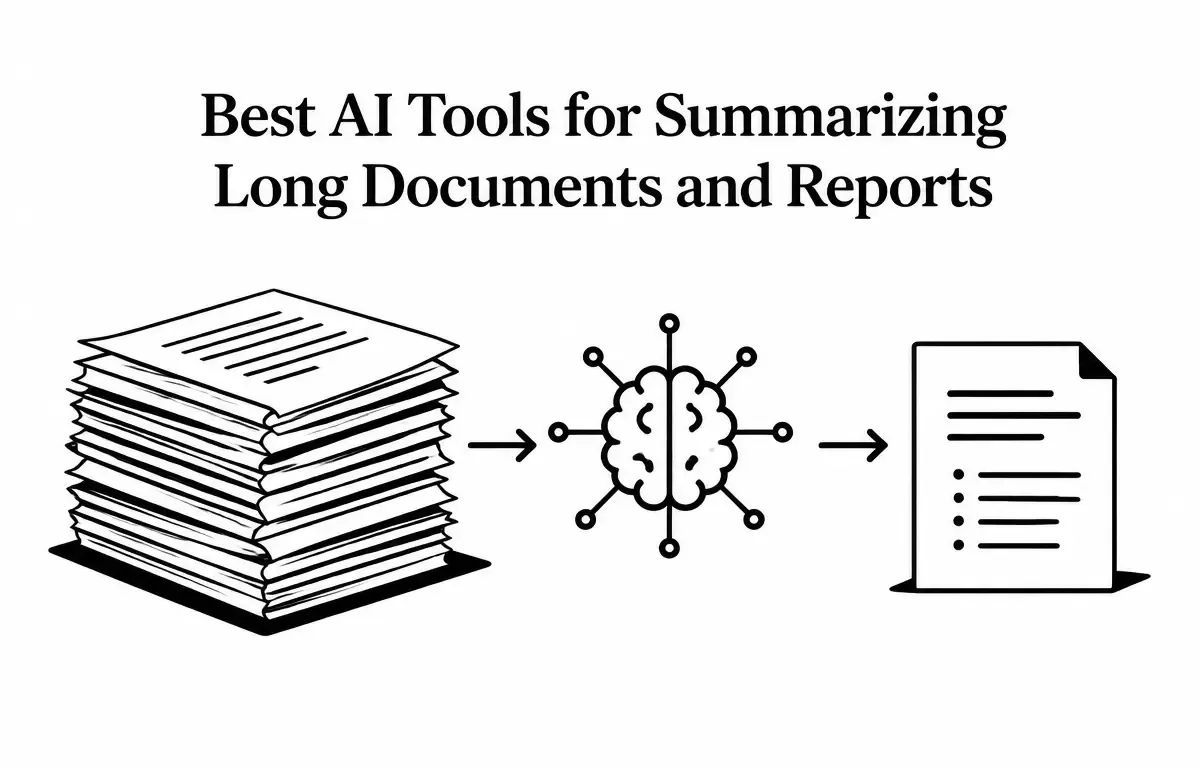
In today’s information-rich environment, professionals often grapple with extensive documents and reports that demand significant time and effort to digest. AI-powered summarization tools have emerged as invaluable assets, enabling users to extract key insights swiftly and efficiently. This article explores the top AI tools designed for summarizing long documents and reports, highlighting their features, pricing, and practical applications.
Understanding AI Summarization Tools
AI summarization tools utilize sophisticated machine learning algorithms and natural language processing (NLP) techniques to condense lengthy texts into concise summaries while preserving crucial information and context. These tools are particularly beneficial for handling large volumes of data, such as research papers, legal contracts, and comprehensive reports. Understanding how these tools work can help users maximize their effectiveness.
To illustrate, consider a legal professional reviewing a complex contract. Instead of scrutinizing every clause and stipulation, they could employ an AI tool to quickly summarize the document’s key points, saving hours of reading time without sacrificing comprehension. This not only boosts efficiency but also helps professionals make informed decisions with less effort.
Key Benefits of AI Summarization Tools
AI summarization tools offer several advantages that enhance productivity and effectiveness:
- Saves Time: By condensing lengthy materials into digestible summaries, these tools reduce the time spent on document review.
- Improves Accuracy: AI tools can highlight essential information that a human reader might overlook, reducing the risk of missing critical insights.
- Customization: Many summarization tools allow users to specify the depth and focus of summaries, tailoring outputs to their specific needs.
- Scalability: Users can process numerous documents in a short time, accommodating varying workloads without compromising quality.
Top AI Tools for Summarizing Long Documents
1. Claude by Anthropic
Claude is gaining recognition for its ability to handle extensive documents, making it ideal for summarizing long reports, research papers, and contracts.
Key Features:
- Large Context Window: Claude can process documents up to 1,000 pages, accommodating complex and detailed texts.
- Advanced Reasoning: It excels in understanding nuanced content, ensuring accurate and context-aware summaries.
- Visual Analysis: Claude can interpret charts and tables, providing comprehensive insights that are often overlooked by basic summarization tools.
Pricing:
- Free Tier: Offers basic functionalities suitable for occasional use.
- Pro Version: Priced at $20 per month, offering enhanced capabilities and support for professional use.
2. ChatGPT by OpenAI
ChatGPT serves as a versatile assistant for summarizing various document types, including PDFs, Word documents, and scanned images.
Key Features:
- Customizable Summarization: Users can tailor summaries based on length, detail, and focus—ideal for different types of documents.
- Integration Capabilities: Seamlessly integrates with multiple platforms, from content management systems to educational tools, enhancing workflow efficiency.
- User-Friendly Interface: Its intuitive design ensures easy document uploads and prompt generation, making the tool accessible for all users.
Pricing:
- Free Tier: Provides access to basic features but comes with usage limitations.
- Plus Version: Available for $20 per month, offering advanced features and increased usage limits.
3. Gemini by Google
Gemini is tailored for users within the Google Workspace ecosystem, offering native summarization features for documents stored in Google Drive.
Key Features:
- Native Integration: Directly integrates with Google Docs and Sheets, facilitating seamless summarization tasks within familiar platforms.
- Extensive Context Handling: Can process large documents effectively, making it suitable for comprehensive reports across various fields.
- Visual Content Analysis: Effectively interprets and summarizes documents containing charts and images, which is particularly useful for reports with visual data.
Pricing:
- Free Tier: Offers basic summarization features at no cost.
- Advanced Version: Priced at $19.99 per month, providing enhanced functionalities and support.
4. NotebookLM by Google
Formerly known as NotebookLM, Gemini Notebook is designed for research-intensive tasks, allowing users to upload multiple documents and receive grounded summaries complete with citations.
Key Features:
- Multi-Source Summarization: Supports uploading up to 50 documents simultaneously, enabling comprehensive analysis across various sources and topics.
- Citation Transparency: Provides summaries with direct citations, ensuring users can verify sources and maintain academic rigor.
- Audio Overviews: Generates audio summaries for users who prefer auditory learning or wish to listen while multitasking.
Pricing:
- Free Access: Offers a robust set of features without any cost, making it accessible for a wide range of users, from students to professionals.
5. ChatPDF
ChatPDF specializes in summarizing individual PDF documents, providing quick and concise summaries with minimal setup required.
Key Features:
- Instant Summarization: Allows users to upload a PDF and receive a summary within moments, perfect for urgent analysis.
- User-Friendly Interface: Designed for ease of use, requiring minimal input and enabling even non-technical users to generate summaries efficiently.
- Citation Support: Includes page numbers in summaries, aiding users in referencing specific sections or details during discussion or follow-up.
Pricing:
- Free Tier: Allows for a limited number of document uploads per day to try the basic features.
- Pro Version: Offers additional features and higher usage limits; pricing details are available upon request.
Choosing the Right AI Summarization Tool
With numerous AI tools available for summarizing long documents, selecting the most suitable one can be a daunting task. Here are some factors to consider:
- Document Type and Length: Ensure the tool can adequately handle your specific document type and length. For example, if you are mostly working with legal documents, a tool like Claude may be more appropriate due to its advanced reasoning capabilities.
- Integration Needs: Consider how well the tool integrates with your existing workflow, applications, or cloud services. For users deeply embedded in the Google ecosystem, Gemini may offer unmatched convenience.
- Budget Constraints: Evaluate pricing tiers to find a solution that fits within your financial parameters while also offering the features necessary for your work. Remember that some free tiers can provide adequate functionality for casual use, while professional scenarios might necessitate a subscription.
- Support for Visual Content: If you’re frequently dealing with documents that contain charts, images, or complex formatting, prioritize tools like Gemini and Claude, which excel in visual content analysis.
- User Experience and Support: Investigate user reviews and support options available for each tool. A well-supported tool can enhance your summarization experience and resolve any issues that may arise quickly.
Practical Workflows for Using AI Summarization Tools
While using an AI summarization tool can be straightforward, following a structured approach can enhance the results. Here’s a detailed workflow you can adopt:
- Define Objectives: Determine the purpose of the summary. Are you looking to extract specific data points, identify key arguments, or review citations? Knowing your goal will guide how you interact with the summarization tool.
- Choose the Right Tool: Select an AI tool based on the factors outlined above. Consider your document’s complexity, your integration needs, and your budget. For example, if dealing with academic papers, using NotebookLM for grounded summaries may be optimal.
- Prepare Your Document: Ensure that the document is cleaned up of any irrelevant information. Proper formatting and organization can significantly improve the quality of your summary.
- Upload and Summarize: Use the selected tool to upload your document and generate the summary. Specify the desired length and focus based on your objectives.
- Review and Refine: Analyze the generated summary. Check for accuracy and completeness, ensuring it meets your needs. If necessary, refine the summary by providing feedback to the tool or making manual adjustments.
- Implement Findings: Use the summary to make informed decisions, present findings, or prepare for discussions, leveraging the condensed information effectively.
Conclusion
AI summarization tools have revolutionized the way professionals manage and digest extensive documents. By leveraging these tools, users can significantly enhance their productivity, ensure accuracy, and make informed decisions based on concise and reliable summaries. As technology continues to evolve, the potential for improved summarization capabilities will only expand, making it imperative for professionals to stay informed about the available options.
Frequently Asked Questions (FAQs)
1. Are these AI summarization tools suitable for academic research papers?
Yes, tools like Claude and NotebookLM are particularly effective for summarizing academic papers, providing detailed and accurate summaries that help researchers focus on key findings without wading through dense texts.
2. Can these tools handle documents with complex formatting, such as tables and charts?
Claude and Gemini are both capable of handling such documents effectively, making them ideal for users who require thorough analysis that includes visual data.