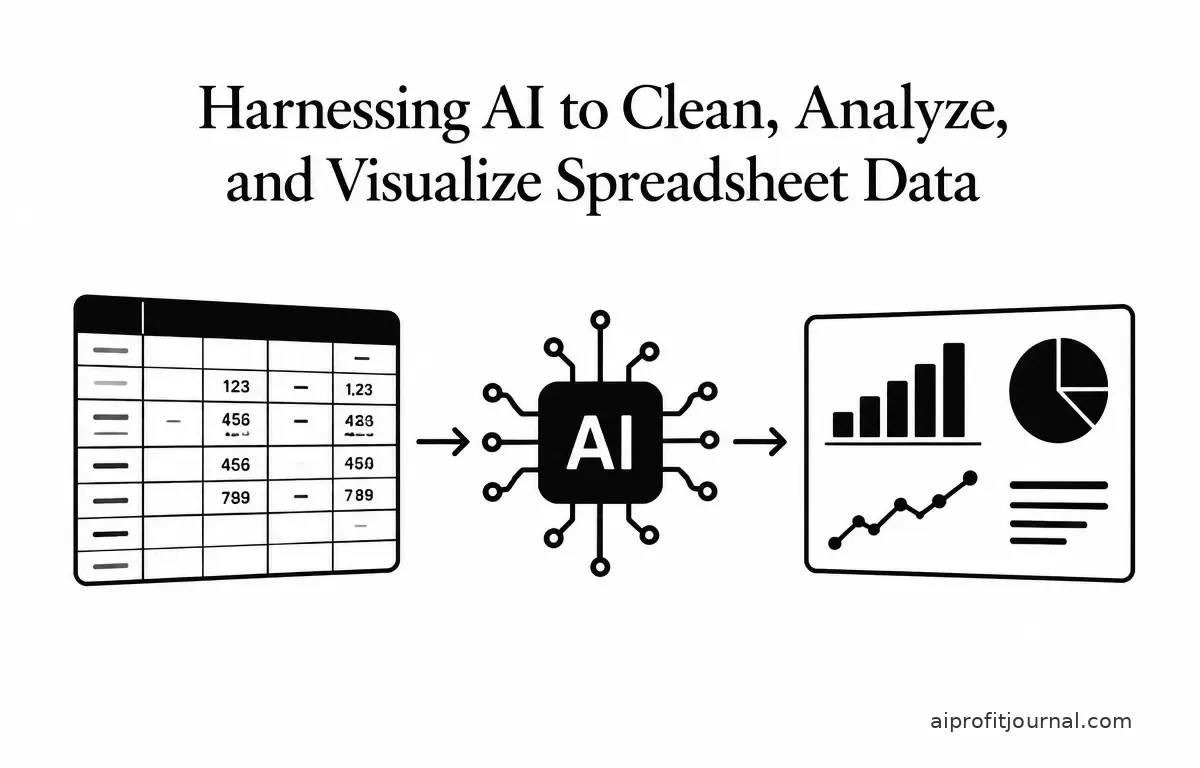
Managing and analyzing spreadsheet data can be a daunting task, especially when dealing with large datasets prone to inconsistencies and errors. Artificial Intelligence (AI) has emerged as a powerful ally in transforming raw, messy data into actionable insights. By leveraging AI tools, you can automate data cleaning, perform complex analyses, and create compelling visualizations, all within your familiar spreadsheet environment.
Understanding the Role of AI in Spreadsheet Data Management
AI integration in spreadsheet applications enhances data management by automating repetitive tasks, identifying patterns, and providing predictive insights. This not only accelerates the workflow but also allows users to focus on strategic decision-making rather than manual data manipulation.
Key Benefits of AI Integration
- Automated Data Cleaning: AI algorithms can detect and correct errors, standardize formats, and handle missing values, ensuring data consistency.
- Advanced Data Analysis: AI can perform complex analyses, such as trend forecasting and anomaly detection, providing deeper insights into your data.
- Dynamic Data Visualization: AI-powered tools can generate interactive charts and dashboards, making data interpretation more intuitive.
Top AI Tools for Spreadsheet Data Cleaning, Analysis, and Visualization
Several AI-powered tools have been developed to assist with spreadsheet data tasks. Below are some notable options:
1. Grist
Grist is a modern spreadsheet-database hybrid that combines familiar interfaces with the power of relational data. Its AI assistant enables users to clean, analyze, and visualize data through natural language commands. For example, you can instruct Grist to “standardize dates to YYYY-MM-DD format” or “create a formula to clean phone numbers,” and it will generate the necessary transformations. (getgrist.com)
2. RowSpeak
RowSpeak is designed for teams who work extensively with spreadsheets and require faster analysis, cleaner reporting, and better decision support. It supports Excel, CSV, PDF, and image-based tables, allowing users to upload files and ask questions in plain English. RowSpeak helps clean messy business files, analyze changes, create charts, and generate reviewable reports without the need for an Excel plugin. (rowspeak.ai)
3. RizzCalc
RizzCalc integrates directly with Google Sheets, enabling users to analyze data using natural-language prompts. It assists in cleaning data, building pivot analyses, creating charts, running forecasts, and surfacing insights. Users can describe their analysis needs, and RizzCalc generates the corresponding outputs, which can be downloaded to Excel or continued within Sheets. (rizzcalc.com)
4. Jeda.ai’s Data Insight
Jeda.ai offers a feature called Data Insight, which allows users to upload CSV or Excel files and receive instant strategic insights, such as SWOT analyses, competitive matrices, and sales trend breakdowns. This tool automates the analytical thinking process, transforming raw data into visual frameworks that inform decisions. (jeda.ai)
Implementing AI in Your Spreadsheet Workflow
Integrating AI into your spreadsheet workflow involves several key steps that can help streamline processes and improve outcomes:
1. Assess Your Needs
Determine the specific tasks you want to automate or enhance with AI, such as data cleaning, analysis, or visualization. For instance, if you’re frequently encountering errors in date formats, prioritizing data cleaning may be essential. Identifying pain points in your current workflow can provide a clearer roadmap for AI implementation.
2. Choose the Right Tool
Select an AI tool that aligns with your requirements and integrates seamlessly with your existing spreadsheet application. If your workflow involves diverse files, RowSpeak might be ideal due to its support for various formats. Evaluate the pros and cons of each tool and consider factors like ease of use, scalability, and cost as you make your decision.
3. Prepare Your Data
Ensure your data is well-organized and free from obvious errors to maximize the effectiveness of AI tools. This might include removing duplicate entries, ensuring data consistency, and normalizing values. Implement a standard naming convention for categories and clear hierarchy for your dataset to improve AI processing.
4. Train and Customize
Familiarize yourself with the AI tool’s features and customize it to suit your specific data analysis needs. Investing time in training can significantly enhance the results, as many tools permit customizing predictive models to suit your data context better. Utilize tutorials, documentation, and community forums to fully leverage the AI capabilities at your disposal.
5. Monitor and Iterate
Regularly review the outputs generated by the AI tool and make adjustments as necessary to improve accuracy and relevance. This might mean recalibrating your data cleaning methods or adjusting your analysis frameworks based on the insights generated. Implement a feedback loop that allows continuous learning from the AI outputs to enhance accuracy over time.
Practical Example: Cleaning and Analyzing Sales Data with Grist
Imagine you have a sales dataset with inconsistent date formats and missing values. Here’s how you can use Grist’s AI assistant to clean and analyze this data:
- Standardize Date Formats: Instruct Grist to “standardize dates to YYYY-MM-DD format.” The AI will generate the necessary transformations to apply this format across your dataset.
- Handle Missing Values: Command Grist to “fill missing sales figures with the average of the respective region.” The AI will calculate the average sales per region and fill in the missing values accordingly.
- Analyze Sales Trends: Ask Grist to “summarize sales by region and quarter.” The AI will create a summary table, allowing you to visualize sales performance across different regions and time periods.
- Visualize Results: Finally, instruct Grist to “generate a line chart of sales trends over the last year.” This will provide a visual representation of your data, enhancing interpretability and fostering discussion around results.
This workflow demonstrates how AI can streamline data cleaning and analysis, providing clear insights without manual intervention.
Limitations and Considerations
While AI tools offer significant advantages, it’s important to be aware of their limitations:
- Data Quality: AI tools are only as good as the data they process. Ensure your data is accurate and well-structured to achieve optimal results.
- Complexity of Tasks: Some advanced analyses may require manual intervention or a deeper understanding of the data context, especially when data includes nuanced variables that AI may not fully capture.
- Cost: While many tools offer free trials or basic packages, advanced features may come with additional costs that could affect budget decisions. Assess whether the investment aligns with your organization’s financial capabilities.
- Learning Curve: There’s often a learning curve associated with implementing AI tools, which might initially slow down processes. Allocate resources for training to mitigate this issue.
- Ethical Considerations: Be aware of the ethical implications associated with using AI, especially concerning data privacy and bias. Regular audits of your AI processes can help address these concerns.
Conclusion
AI tools for spreadsheet data analysis offer a myriad of opportunities to streamline processes, enhance accuracy, and generate insights. By carefully assessing requirements and choosing the right tools, you can harness the power of AI to transform your data management practices. Embracing these technologies not only improves efficiency but also empowers decision-makers with the insights needed to drive business success. As you adopt AI tools, keep an open mind to explore evolving technologies that can further optimize your data operations.