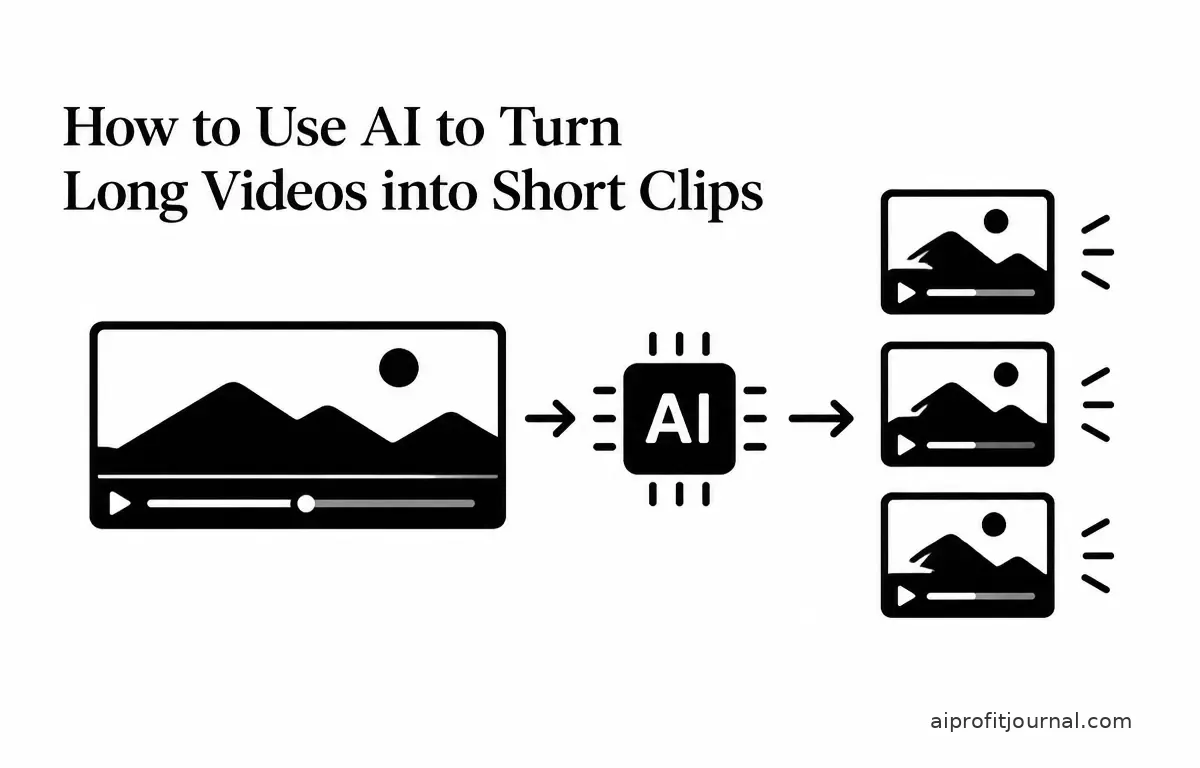
In the era of digital content, repurposing long-form videos into concise, engaging short clips has become a strategic approach to boost audience engagement and reach. Artificial Intelligence (AI) has revolutionized this process, offering tools that automate and streamline the creation of short videos from longer recordings. This article explores how to effectively utilize AI to transform your extensive videos into compelling short clips.
Understanding the Need for Short Clips
Short-form videos have surged in popularity across platforms like TikTok, Instagram Reels, and YouTube Shorts. These formats cater to audiences seeking quick, digestible content, making them ideal for capturing attention and conveying key messages succinctly. Converting long videos into short clips allows creators to:
- Increase Reach: Short clips are more likely to be shared, expanding your content’s visibility.
- Enhance Engagement: Brevity often leads to higher viewer retention rates.
- Repurpose Content: Maximize the value of existing material by presenting it in a new format.
Challenges in Manual Video Editing
Traditionally, creating short clips from long videos involves meticulous manual editing, which can be time-consuming and requires a certain level of technical expertise. This process includes:
- Identifying Key Moments: Scrubbing through hours of footage to find engaging segments can involve a lot of guesswork and may lead to missed opportunities. For example, a critical insight shared in a lengthy discussion might go unrecognized.
- Editing and Refining: Trimming, adding captions, and ensuring the clip is polished requires not only software skills but also a creative eye for detail. Manual edits may introduce inconsistencies in quality.
- Formatting for Platforms: Adjusting aspect ratios and resolutions to fit various social media requirements adds to the complexity, especially when aiming for platform-specific conventions.
These tasks can be overwhelming, particularly for creators lacking a background in video editing. The manual process often results in inconsistencies and can discourage creators from producing short clips altogether.
Leveraging AI for Efficient Video Clipping
AI-powered tools have emerged to simplify the process of creating short clips from long videos. These platforms utilize advanced algorithms to analyze your video content and automatically generate engaging short clips. Key features of AI video clipping tools include:
- Automated Highlight Detection: AI identifies and extracts the most engaging segments based on speech patterns, visual cues, and pacing. For instance, tools can analyze emotional tone or excitement to select the most compelling moments.
- Captioning and Styling: Automatic generation of captions synchronized with speech, which is vital for accessibility and can significantly enhance viewer engagement by accommodating diverse audience needs.
- Aspect Ratio Adjustment: Reframing videos to suit different platforms, such as 9:16 for TikTok or 1:1 for Instagram, saves time and ensures that your content looks professional across platforms.
- Multi-Platform Export: Direct publishing options to various social media channels streamline the distribution process, allowing for a consistent presence across platforms.
Popular AI Video Clipping Tools
Several AI-driven platforms offer these capabilities, each with unique features tailored to different needs. Here are some notable options:
- Scribix: An AI clip maker that analyzes your videos to find the best moments, adds dynamic captions, and formats them for various platforms, including direct uploads to YouTube, TikTok, and LinkedIn. (scribix.io)
- HeyGen: This tool reviews your entire video, selects strong moments, adds captions, and reframes them into vertical clips ready for Shorts, Reels, and TikTok. It also includes translation features for localization. (heygen.com)
- Choppity: Choppity’s AI transcribes your video, scores segments for viral potential, and generates short clips with animated captions. It supports various formats and offers direct publishing to social media platforms. (choppity.com)
- Clipiro: Clipiro scans your video for engaging segments, adds captions, and reframes into vertical clips, with AI narrator voices available for voiceovers. (clipiro.com)
- Videnly: Videnly detects highlight-worthy sections, trims dead air, and automates the creation of short-form clips while allowing customization for each channel. (videnly.com)
Step-by-Step Guide to Using AI for Video Clipping
To effectively convert your long videos into short clips using AI, follow these steps:
- Choose an AI Video Clipping Tool: Select a platform that aligns with your content needs and budget. Consider factors like ease of use, customization options, and supported platforms. For example, if multi-language support is a priority, tools like HeyGen would be ideal.
- Upload Your Video: Import your long-form video into the chosen AI tool, ensuring that the video quality is high for optimal results. Low-quality videos might yield poorly selected clips.
- Configure Settings: Set preferences such as clip length, aspect ratio, caption style, and target platforms. Some tools offer AI-generated suggestions for settings, helping you align the final product with your brand’s identity.
- Generate Clips: Initiate the AI processing. The tool will analyze your video and produce short clips based on configured settings. Keep track of processing time, as some tools handle this faster than others.
- Review and Edit: Examine the generated clips for quality and relevance, making necessary adjustments such as refining captions or adjusting framing. This step is crucial, as AI may not capture all nuances that a human eye can.
- Export and Publish: Once satisfied with the clips, export them in the desired formats. Verify the settings for each platform to maintain branding consistency.
Verifying Results and Measuring Success
After publishing your short clips, it’s essential to evaluate their performance. Consider the following metrics to gauge success:
- Engagement Rate: Analyze how well the clips resonate with your audience through likes, shares, and comments. Higher engagement indicates content resonance.
- Retention Rate: Assess the duration viewers spend watching your clips. A higher retention rate signifies that your content retains interest more effectively.
- Conversion Metrics: If your goal is to drive traffic or subscriptions, track how many viewers take desired actions after viewing. This can reveal the effectiveness of your content strategy.
Additionally, consider conducting A/B testing with different clips to determine which themes or styles engage your audience most effectively. For instance, experiment with varying lengths or styles of captions to see what resonates.
In conclusion, leveraging AI tools for creating short video clips from long videos not only saves time but also enhances the quality and engagement of the content. By understanding the needs for short clips, recognizing the limitations of manual editing, and utilizing AI’s capabilities, creators can strategically maximize their content’s reach and effectiveness.