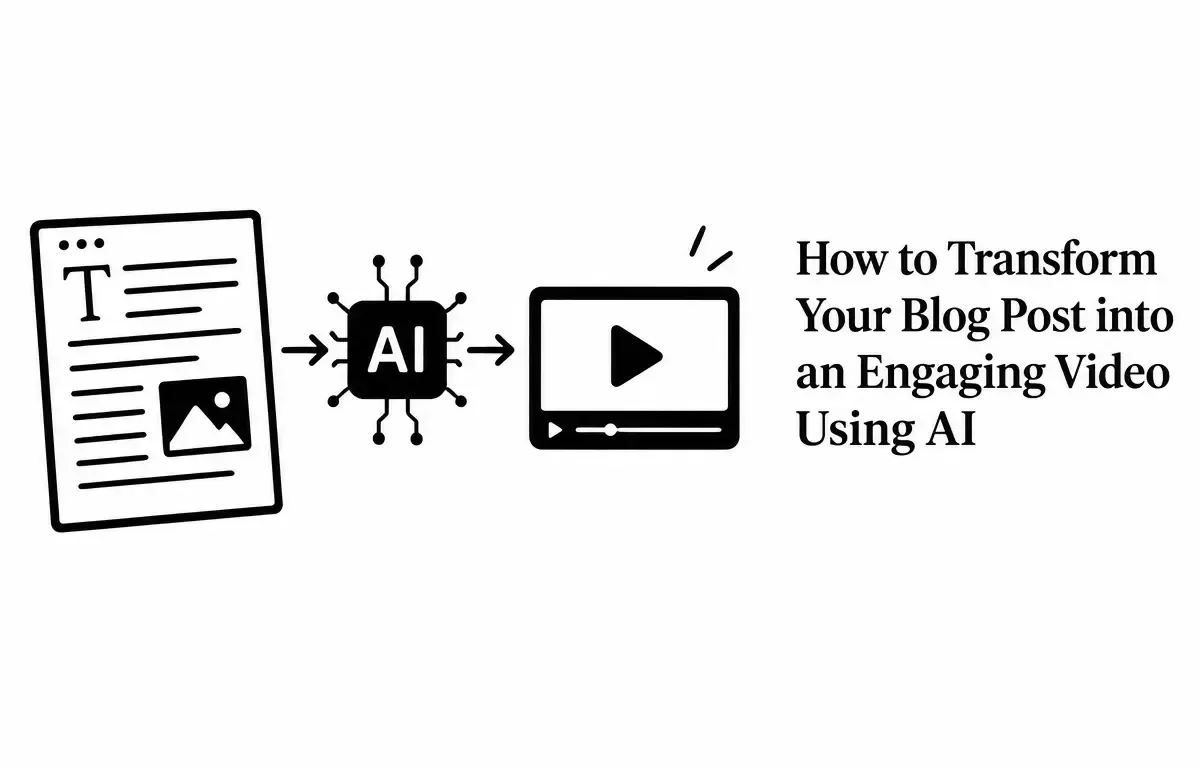
In today’s digital landscape, repurposing content is a strategic way to maximize its value and reach a broader audience. One effective method is transforming your blog posts into engaging videos using AI-powered tools. This approach not only breathes new life into existing content but also caters to the growing preference for video consumption among online users. In this guide, we’ll explore how to convert your blog posts into videos using AI, step by step.
Why Convert Blog Posts to Videos?
Videos are a dominant form of content consumption, offering a dynamic and engaging way to convey information. By converting your blog posts into videos, you can:
- Increase Engagement: Videos are more likely to capture attention and keep viewers engaged compared to text-based content.
- Enhance Reach: Platforms like YouTube, Instagram, and TikTok prioritize video content, providing an opportunity to tap into new audiences.
- Improve SEO: Video content can boost your website’s search engine ranking, driving more organic traffic.
Step-by-Step Guide to Converting Blog Posts into Videos Using AI
1. Select the Right Blog Post
Choose a blog post that has performed well in terms of traffic and engagement. Posts with clear structure, strong visuals, and evergreen content are ideal candidates. For instance, a comprehensive guide or a how-to article can translate well into a video format.
2. Edit and Condense the Content
AI tools often work best with concise scripts. Review your blog post and extract the key points, eliminating any unnecessary information. Aim for a script that is approximately 130–150 words per minute of video. This process ensures that the video remains focused and engaging. (aionx.co)
3. Choose an AI Video Creation Tool
Several AI-powered platforms can assist in converting your blog post into a video. Here are some popular options:
- Pictory: Allows you to paste your blog URL, and it automatically generates a video with stock footage, voiceover, and captions. (pictory.ai)
- HeyGen: Offers a Video Agent feature where you can input your script, and it creates a video with a presenter, voiceover, and custom graphics. (heygen.com)
- InVideo: Provides a user-friendly interface to convert text into video, complete with visuals, voiceover, and music. (invideo.io)
4. Customize the Video
After generating the initial video, customize it to align with your brand identity. This includes adding your logo, adjusting color schemes, selecting appropriate music, and ensuring the visuals complement the message. Personalization enhances the video’s appeal and maintains brand consistency. (renderforest.com)
5. Add Captions and Subtitles
Including captions and subtitles makes your video accessible to a wider audience, including those who watch without sound. Most AI video tools offer automatic captioning features, but it’s advisable to review and edit them for accuracy. (renderforest.com)
6. Export and Share the Video
Once satisfied with the video, export it in the appropriate format and resolution for your target platform. Different platforms have varying requirements, so ensure the video is optimized for each. For example, YouTube favors 16:9 aspect ratio videos, while Instagram Reels are best in 9:16. (renderforest.com)
Best Practices for Creating Engaging Videos from Blog Posts
- Keep It Concise: Aim for a video length that holds viewers’ attention, typically between 1 to 3 minutes.
- Focus on Quality Visuals: Use high-quality images and footage that enhance the narrative.
- Maintain a Clear Narrative: Ensure the video has a logical flow, mirroring the structure of your original blog post.
- Include a Call to Action: Encourage viewers to take the next step, whether it’s visiting your website, subscribing to your channel, or reading the full article.
Conclusion
Transforming your blog posts into videos using AI is a powerful strategy to extend the lifespan of your content and engage a broader audience. By following the steps outlined above and adhering to best practices, you can create compelling videos that resonate with viewers and drive meaningful interactions. Remember, the key is to maintain the essence of your original content while adapting it to the dynamic and visual nature of video. Happy creating!
Frequently Asked Questions (FAQs)
1. Do I need prior video editing experience to use AI video tools?
No, AI video creation platforms are designed to be user-friendly, requiring minimal technical expertise. They offer intuitive interfaces and templates to guide you through the process. (renderforest.com)
2. Are there free AI video tools available?
Yes, many AI video tools offer free trials or limited free versions. For example, Pictory provides a 14-day free trial, allowing you to explore its features before committing to a paid plan. (pictory.ai)
3. How long does it take to convert a blog post into a video using AI?
The process can be completed in as little as 20 minutes, depending on the length and complexity of your blog post, as well as the AI tool used. (aionx.co)
4. Can I use AI video tools for other types of content besides blog posts?
Absolutely. AI video tools can be used to convert various types of content, including scripts, articles, and even PDFs, into engaging videos. (renderforest.com)
5. Will the AI-generated video match my brand’s style and tone?
While AI tools provide customization options, it’s essential to review and