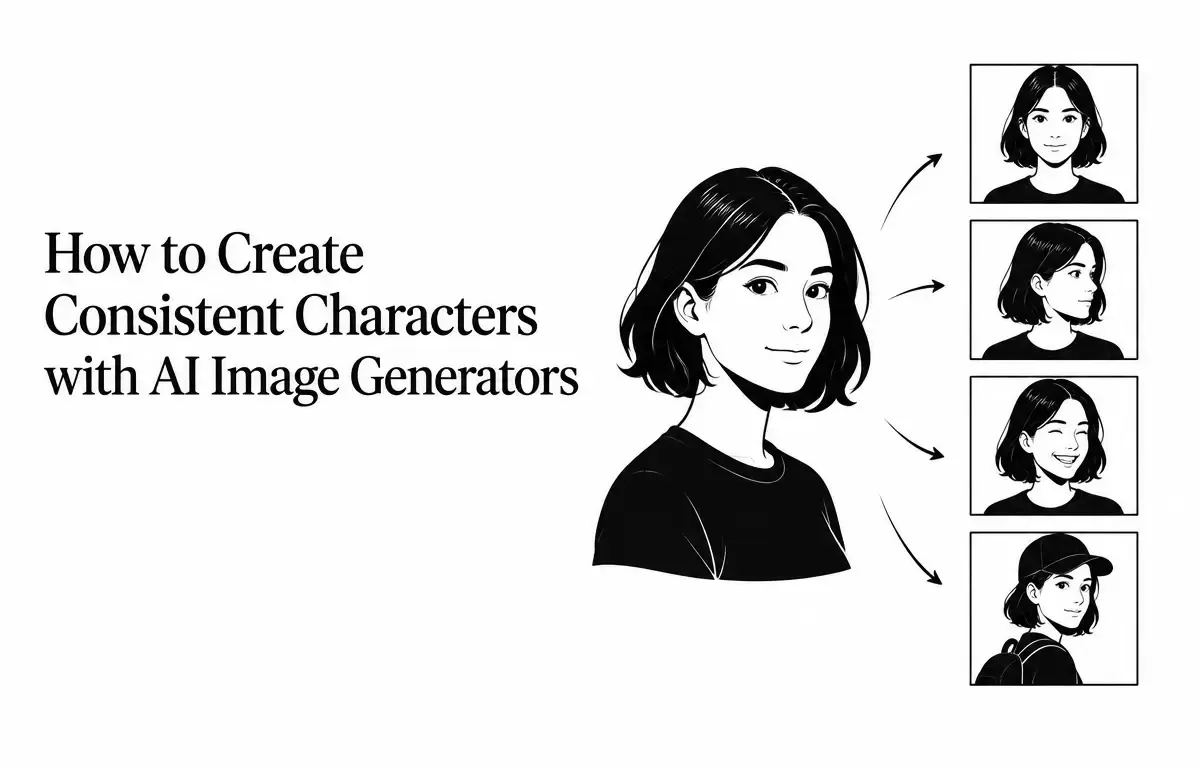
Creating consistent characters across multiple AI-generated images is a common challenge for artists, storytellers, and designers. Variations in facial features, clothing, and overall appearance can disrupt the visual continuity of a project. This guide explores effective strategies to maintain character consistency using AI image generators.
Understanding the Challenge of Character Consistency
AI image generators create images from scratch based on text prompts, without retaining memory of previous outputs. This means that even with identical prompts, the generated images can vary significantly. Factors such as lighting, angle, and background can further alter the character’s appearance, making consistency a complex task. For instance, a character might appear with different hair color or clothing in different images, even if the same prompt is utilized. This inconsistency can confuse audiences and dilute storytelling strength or artistic vision. An effective approach to managing this challenge is crucial.
Effective Strategies for Maintaining Character Consistency
1. Develop a Detailed Character Description
Begin by crafting a comprehensive description of your character, focusing on specific details that define their appearance. A well-detailed character description not only serves as a foundational element for AI-generated images but also provides clarity in visual storytelling. Key components to include:
- Physical Attributes: Specify age, gender, skin tone, facial features, hair color and style, eye color and shape, body type, and any distinctive marks or characteristics like scars or tattoos.
- Clothing and Accessories: Detail specific garments, colors, patterns, and accessories that are characteristic of the character’s style.
- Personality Traits: Describe posture, expressions, and demeanor that reflect their personality, conveying how they carry themselves in different situations. This helps create a more engaging character.
For example, instead of providing a vague description like “a woman with dark hair,” specify, “A woman in her late twenties with shoulder-length black hair in loose waves, almond-shaped brown eyes, high cheekbones, and an olive skin tone.” This specificity helps the AI generate more consistent images, leading to a more coherent portrayal of the character.
2. Use Reference Images Strategically
Providing the AI with a reference image can significantly enhance consistency. This image functions as a visual anchor, guiding the AI to replicate the character’s appearance accurately across various scenarios. When selecting a reference image:
- Quality: Choose a high-resolution image with clear focus and even lighting. This ensures the AI has a crisp and accurate reference.
- Angle: Use a front-facing portrait to establish the character’s features clearly. Side profiles or angled images may introduce discrepancies.
- Consistency: Ensure the reference image aligns with the developed character description. Mismatched images can lead to unwanted variations in generated images.
Some AI platforms allow you to upload reference images directly, making it easier to maintain consistency across generated images as the AI references the visual standards you’ve provided.
3. Maintain a Fixed Style and Visual Aesthetic
Consistency in style and aesthetic is crucial for achieving continuity. Decide on the visual style you want for your character—whether it’s photorealistic, 3D rendered, anime, or cartoon—and use it consistently in all prompts. For example, if you are creating an anime character, use terms like “vibrant colors” or “stylized features” in your prompts. Mixing different styles can lead to inconsistencies that confuse viewers and disrupt the narrative flow.
4. Utilize Prompt Anchors Effectively
Incorporate a fixed block of text that describes the character into every prompt. This “prompt anchor” ensures that the AI consistently references the same character description, creating a more coherent character identity across multiple images. For instance:
Prompt Anchor: "A woman in her late twenties with shoulder-length black hair in loose waves, almond-shaped brown eyes, high cheekbones, and olive skin tone."
Scene Description: "Standing in a bustling city street at night, wearing a navy blazer, holding a coffee cup, looking contemplative."
By repeating the prompt anchor verbatim in each prompt, you reinforce the character’s identity while allowing the AI to generate diverse scenes without losing sight of the character’s core attributes.
5. Manage Variations Across Scenes
Despite best efforts, some variation may occur in generated images. To manage this effectively:
- Generate Multiple Versions: Create several images for each scene and evaluate them to select the one that best matches your character’s fixed traits. This iterative approach allows you to filter out the less coherent images.
- Adjust Prompts as Needed: If inconsistencies persist, refine the character description or reconsider your choice of reference image to better guide the AI towards your intended outcome.
This method can help identify patterns in inconsistencies, allowing for improved prompt crafting in future images.
6. Document and Reuse Successful Outputs
When you achieve a consistent image, document the prompt, reference image, and any specific settings utilized during the generation process. This documentation serves as a template for future generations, ensuring continuity in your project. As you build a library of successful outputs, revisit these templates to evaluate and refine your process, leading to even greater consistency over time.
7. Experiment with Iterative Feedback
Another approach to enhancing character consistency is a feedback loop involving iterative image generation. This process works as follows:
- Generate Initial Images: Create a batch of images using your established prompts and reference images.
- Analyze Results: Critically assess which images resonate the most with your character description. Note any discrepancies and strengths.
- Refine Based on Feedback: Use this analysis to adjust your prompts or descriptions, bearing in mind what worked well and what didn’t.
This continuous feedback mechanism helps hone your character designs and can facilitate quicker iterations that align more closely with your intended vision.
Limitations and Considerations
While these strategies can significantly improve character consistency, it’s essential to acknowledge some potential limitations:
- Model Variations: Different AI models may interpret prompts uniquely, leading to variations in output. It’s advisable to become familiar with the model you are using to anticipate how it might respond to different instructions.
- Complex Scenes: Introducing multiple characters or intricate backgrounds can increase the likelihood of inconsistencies. In collaborative narratives, focus on creating strong anchor points across all major characters to maintain coherence.
- Manual Adjustments: Some level of manual editing may be required to achieve perfect consistency, especially for detailed projects where nuances matter. Familiarize yourself with post-processing tools to correct any inconsistencies effectively.
Conclusion
Achieving consistent characters with AI image generators involves a combination of detailed character descriptions, strategic use of reference images, and consistent prompting techniques. By implementing these strategies, you can create cohesive and recognizable characters across multiple AI-generated images, thus enhancing the visual continuity of your projects. Through thoughtful planning and consistent practice, you will not only refine your character generation but also deepen the storytelling experience for your audience, leading to more compelling and engaging narratives.
Related Articles
- Canva AI vs Adobe Firefly: Which Is Better for Everyday Design?
- How to Write Better AI Image Prompts: Examples and Techniques
- Best AI Image Generators for Realistic Photos in 2026
- How to Create AI Avatar Videos Without Recording Yourself
FAQ
Why does my character look different even when I use the same prompt?
AI image generators create images from scratch each time, leading to variations. Using detailed descriptions and reference images can help maintain consistency in your character design and appearance.
Can I use any image as a reference?
It’s best to use high-quality, clear images that accurately represent your character’s features. Avoid images with heavy filters or obstructions that might confuse the AI.
How can I ensure my character remains consistent across different scenes?
Maintain a fixed character description and visual style in all prompts. Using a prompt anchor and creating reference images are also effective techniques for achieving consistency.