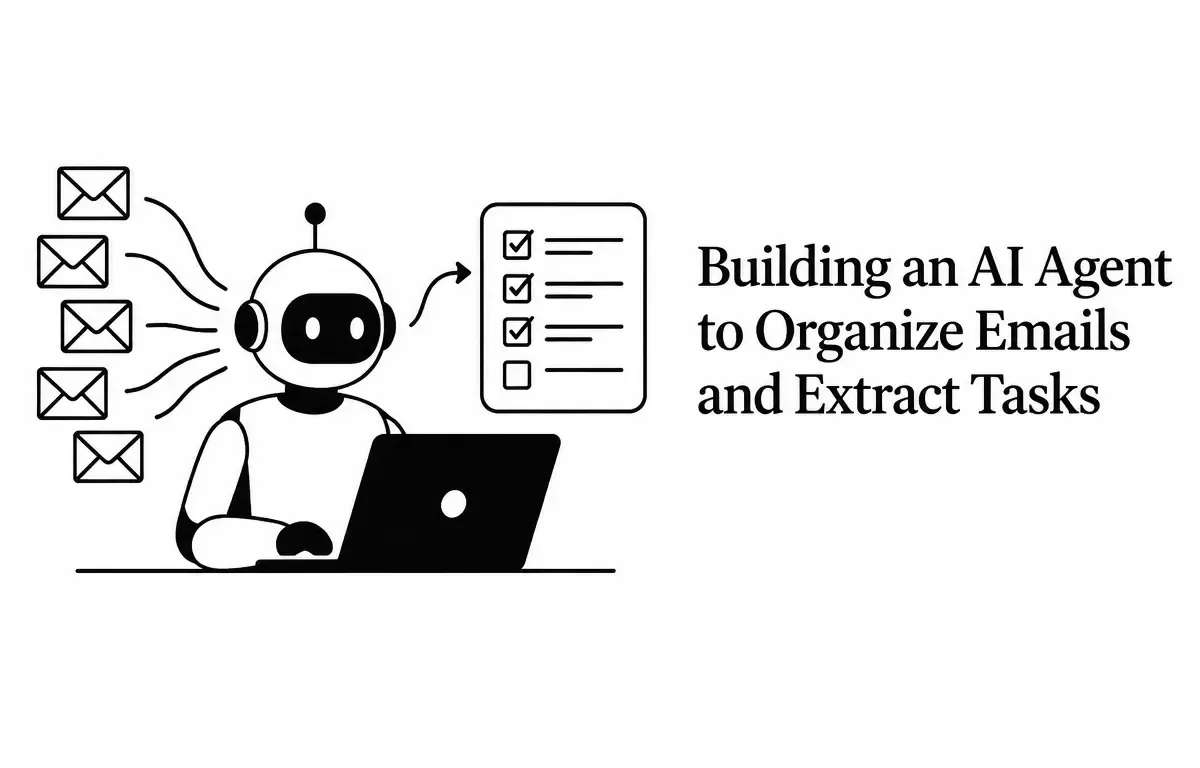
Managing a cluttered inbox can be overwhelming, leading to missed tasks and decreased productivity. An AI agent designed to organize emails and extract tasks can streamline this process, ensuring important messages are prioritized and actionable items are clearly identified. This guide outlines the steps to build such an AI agent, including practical examples and considerations for implementation.
Understanding the Need for an AI Email Management Agent
In today’s fast-paced work environment, professionals often spend a significant portion of their day managing emails. A typical employee can receive over a hundred emails daily, making it challenging to stay organized. An AI agent can automate the sorting of emails, categorize them based on urgency and relevance, and extract tasks or action items, allowing users to focus on critical work. Imagine a project manager overwhelmed with client emails, facing the risk of missing important deadlines. An AI agent could prioritize these emails, flag urgent tasks, and ensure smoother project flow.
Key Components of an AI Email Management Agent
Building an effective AI agent involves several crucial components:
- Email Integration: Accessing and reading emails from the user’s inbox.
- Natural Language Processing (NLP): Analyzing email content to understand context and extract tasks.
- Task Extraction: Identifying actionable items within emails.
- Task Management Integration: Adding extracted tasks to a task management system or calendar.
- User Interface (UI): Providing a dashboard for users to review and manage extracted tasks.
Step-by-Step Guide to Building the AI Agent
1. Email Integration
To begin, establish a secure connection to the user’s email account using APIs provided by email services. For instance, Gmail offers the Gmail API, and Microsoft Outlook provides the Microsoft Graph API. These APIs allow the agent to access and read emails programmatically. Implementing this step involves understanding the authentication process and user permission scopes.
Example: Connecting to Gmail API
from googleapiclient.discovery import build
from google.auth.oauthlib.flow import InstalledAppFlow

# Set up the Gmail API
SCOPES = ['https://www.googleapis.com/auth/gmail.readonly']
flow = InstalledAppFlow.fromclientsecrets_file('credentials.json', SCOPES)
creds = flow.runlocalserver(port=0)
service = build('gmail', 'v1', credentials=creds)

# Get the user's email messages
results = service.users().messages().list(userId='me', labelIds=['INBOX'], q="is:unread").execute()
messages = results.get('messages', [])
Once you have the messages, you can retrieve the content of each email for further processing.
2. Natural Language Processing (NLP)
Implement NLP techniques to analyze the content of each email. This involves parsing the email text to understand its context, identify the sender’s intent, and detect any tasks or action items mentioned. Depending on your requirements, you may want to use different models or libraries that specialize in NLP. Leveraging popular libraries such as NLTK, SpaCy, or transformer-based models can enhance the extraction accuracy.
Example: Using NLP to Analyze Email Content
from transformers import pipeline

# Initialize the NLP model
nlp = pipeline('zero-shot-classification')

# Analyze email content
email_content = "Please submit the quarterly report by Friday."
labels = ["task", "meeting", "reminder"]
result = nlp(emailcontent, candidatelabels=labels)
print(result)
This approach helps in classifying the email content and identifying actionable items. For instance, it could classify “Please submit the quarterly report by Friday” as a task.
3. Task Extraction
Develop algorithms to extract tasks from the analyzed email content. This step is critical as it ensures you pinpoint specific actions users need to undertake. Techniques can include regular expressions to find dates, identifying project names, and counting keywords associated with specific actions. Considerations around context and phrasing can improve the accuracy of your extraction.
Example: Extracting Tasks from Email Content
import re
from datetime import datetime

# Sample email content
email_content = "Please submit the quarterly report by Friday, November 7, 2026."

# Regular expression to find dates
date_pattern = r"b(?:Monday|Tuesday|Wednesday|Thursday|Friday|Saturday|Sunday),?s(w+s+d{1,2},sd{4})b"
datematch = re.search(datepattern, email_content)

if date_match:
    duedate = datetime.strptime(datematch.group(1), "%B %d, %Y")
    task = {"action": "Submit quarterly report", "duedate": duedate}
    print(task)
This script identifies the due date within the email and extracts the corresponding task. By using a structured output (like a dictionary), you make it easier to integrate with other systems down the line. Additionally, consider incorporating machine learning models to enhance task extraction reliability over time.
4. Task Management Integration
Integrate the extracted tasks into a task management system or calendar application. This is a pivotal step to ensure that tasks are not only identified but also organized and tracked effectively. Choose platforms that have robust APIs and can handle high volumes of requests seamlessly. Integration could also include notifications for task deadlines, helping users remain accountable and on track.
Example: Adding Tasks to Google Calendar
from googleapiclient.discovery import build

# Set up the Google Calendar API
calendar_service = build('calendar', 'v3', credentials=creds)

# Define the task details
event = {
    'summary': 'Submit quarterly report',
    'start': {
        'dateTime': '2026-11-07T09:00:00-07:00',
        'timeZone': 'America/Los_Angeles',
    },
    'end': {
        'dateTime': '2026-11-07T10:00:00-07:00',
        'timeZone': 'America/Los_Angeles',
    },
}

# Add the event to the calendar
calendar_service.events().insert(calendarId='primary', body=event).execute()
This code adds the extracted task as an event in the user’s Google Calendar. Verifying successful integration can include methods like fetching the event back from the calendar or sending user notifications upon the task being added. Consider providing an option for users to adjust task reminders based on personal preferences.
5. User Interface (UI)
Develop a user-friendly interface that allows users to review and manage the extracted tasks. This interface should display tasks, their due dates, and provide options to mark them as completed or reschedule. A simple dashboard might feature:
- Task lists with filters for priority and deadline
- Notification settings for upcoming tasks
- Options for task editing, comment sections for team collaborations, and visual indicators for task statuses
Consider including a mobile-responsive design to accommodate users who access the platform on various devices. User experience testing during the design phase can facilitate improvements based on real-world usage patterns.
Considerations and Limitations
While AI agents can significantly enhance email management, it’s important to consider the following:
- Accuracy: Ensure that the AI agent accurately identifies tasks and deadlines to prevent errors. Regularly retraining your NLP models with updated data can help improve performance, and human oversight initially can help catch mistakes.
- Privacy: Handle email data securely to protect user privacy. Implement encryptions both in transit and at rest while adhering to legal guidelines like GDPR.
- Security: Implement robust security measures to prevent unauthorized access to sensitive information. Using OAuth 2.0 for authentication can be a good practice, alongside regular security audits of the system.
- Usability: Users may initially resist adopting new tools, so providing a clear onboarding process with tutorials and support can help ease the transition.
Verifying the AI Agent’s Effectiveness
Once your AI agent is built, it’s vital to establish metrics for success. Here’s how to verify its effectiveness:
- User Feedback: Gather user feedback through surveys to assess if the AI agent meets their needs and expectations. This feedback should focus on both the effectiveness of task extraction and the overall user experience.
- Task Completion Rate: Analyze how efficiently users can manage their tasks compared to when they were not using the AI agent. Tracking this over time can indicate long-term value.
- Time Saved: Monitor any increase in productivity related to reduced time spent managing emails. A/B testing can be useful here, comparing users with and without the agent.
Continuously refine the AI agent based on user feedback and evolving technology to keep it effective and relevant in the constantly changing digital workspace. Incorporating user suggestions for features can enhance the AI agent’s acceptance and usage rates.